Fee Setup
Build the fee catalogue (Items), then assign amounts to classes (Structures) before any invoice run. Amounts show in school currency (demo: USh).
Who can use this
- FINANCE
- ADMIN
Path
/finance/fees
Dependencies
- Classes exist so Structures can target a class (Classes).
- Prefer creating Items first - the Structures tab stays blocked until at least one item exists.
- Academic terms help when a structure is term-scoped; leave term empty for year-round items.
Screenshot
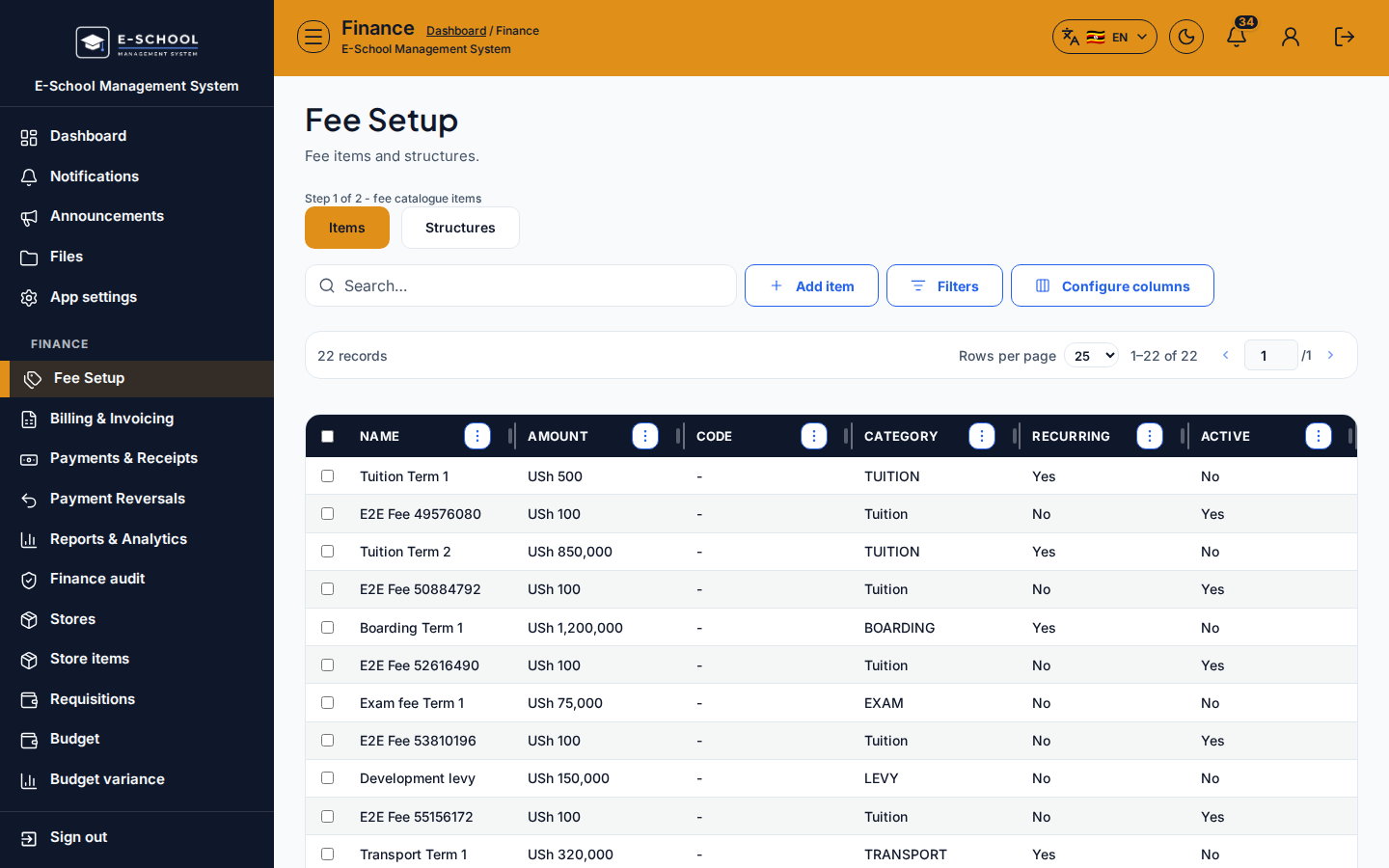
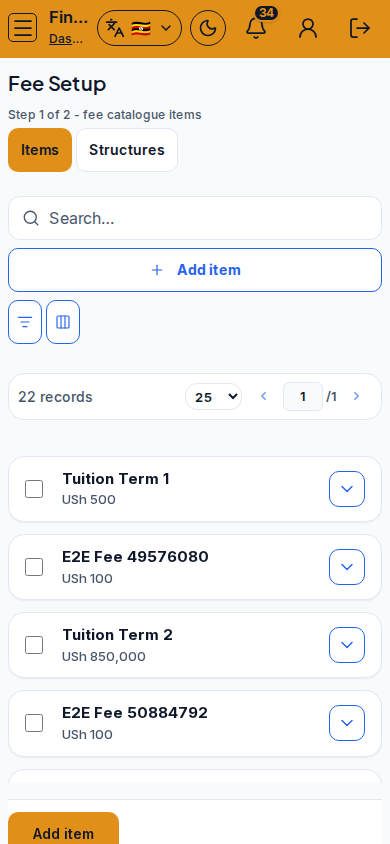
Steps
- Open Fee Setup at
/finance/feesas FINANCE (or ADMIN). - Stay on the Items tab for Step 1 of 2 - fee catalogue items. Click Add item, enter Name, Amount (USh), Category, and set Recurring / Active, then save.
- Switch to Structures for Step 2 of 2 - assign items to classes. Click Add structure, pick the fee item, class, optional term, and amount, then save.
- Use Configure columns if you need Recurring or Active visible while auditing the catalogue.
- Deactivate obsolete rows with Deactivate instead of inventing duplicate item codes for the same charge.
- When Items and Structures look right for the classes you will bill, continue to Generate Invoices.
Fields and actions
- Tabs: Items / Structures (wizard Step 1 of 2 / Step 2 of 2)
- Add item / Edit / Update item / Deactivate
- Item columns: Name, Amount (USh), Category, Recurring, Active
- Add structure / Edit / Update structure / Deactivate
- Structure fields: fee item, class, optional term, amount
- Configure columns
Recurring and Active
- Recurring = Yes: charge is expected each billing cycle (tuition-style). Still needs a structure and a generate run - Recurring alone does not auto-invoice.
- Recurring = No: one-off or occasional catalogue entry (uniform, trip, lab kit).
- Active = Yes: available for new structures and generate.
- Active = No (deactivated): kept for history; excluded from new billing.
Common mistakes
- Opening Structures before any Items exist (empty state forces you back to Items)
- Generating invoices when no structure binds the item to the learner's class
- Wrong class on a structure so one stream is billed and another is not
- Treating Recurring as automatic billing without a generate run
- Mixing inactive structures into a live term generate